A level editor you paint with — and an argument about “feeling” the game
The match-3 template we bought on the Asset Store came with no real level editor: a level was just a prefab, and you marked cells somewhere deep inside it.
My first step was an editor script that showed the board as a grid, where each cell could be set from a dropdown. It worked, but it wasn’t pleasant. So I asked our art director how he would want to build levels. His answer: like a paint program — pick from a palette and draw.
So the editor became a two-pane window. On the right, a palette of everything that can be on the board at the start — walls, teleports and the rest. On the left, the board: click and the cell is painted. And a Play button: no copying, no searching for the right scene — one click and the level you just drew is running, so you see at once how it plays.
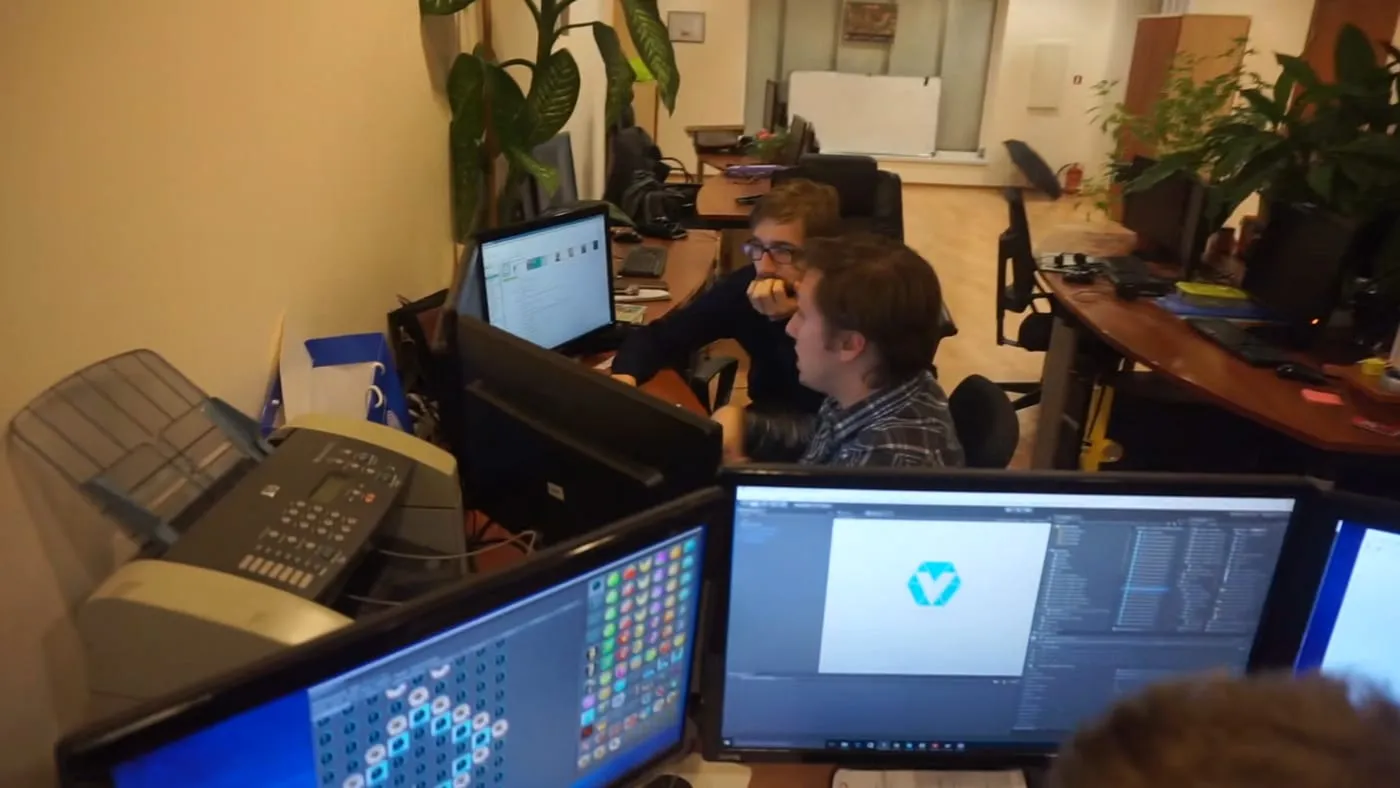
The editor at work in the MadSword office: the board being painted on the left screen, the palette of pieces next to it.
The tool settled one argument but started another. Our game designer — the same person whose balance work on Steam Defense I admired — got stuck. He said he couldn’t design levels yet: until the game had its sounds and final art, he couldn’t feel how it played.
My answer: the mechanics are done. Pieces fall, combos explode, and that won’t change. You could design these levels on paper. Missing animations shouldn’t stop you from making a level that plays well.
What I took from it:
- Ask the people who will use a tool how they think about the task — the palette idea came from the art director, not from me.
- The shortest path from “edit” to “play” is the most valuable button in any editor.
- Separate the mechanics from the juice. Levels can be designed, tested and balanced long before the game looks finished.